
When I first tried a cloud‑gaming session on a cramped train, the game launched in under ten seconds and I was playing at 1080p without a console in my bag. That instant drop‑in experience is what sparked a shift for many UK millennials who juggle work, rent and a social life. They no longer want to invest £400 in a console that sits idle most evenings. Instead, they pay £15‑£25 a month for a library they can stream on a laptop, phone or cheap TV stick. The result? A gaming habit that fits around a 9‑to‑5 schedule.
Step 1: Choose a Service That Matches Your Bandwidth
Most cloud platforms list a minimum of 10 Mbps for 720p, but I found 25 Mbps consistently delivered smooth 1080p at 60 fps on a 4G connection. If your broadband peaks at 50 Mbps, you can comfortably stream in 4K on a wired Ethernet line. Test your speed with a free tool, then pick a tier that guarantees the resolution you need. Skipping this step often leads to lag spikes that ruin the immersion.
Step 2: Set Up a Dedicated Gaming Profile
Creating a separate user account on your streaming app keeps your saved games, preferences and cloud saves tidy. I linked my PlayStation Network ID to the service, which automatically synced my trophies and unlocked content. Without a dedicated profile, you might end up overwriting progress or mixing up friends lists across platforms.
Step 3: Optimize Your Input Devices
Bluetooth controllers introduce a 30‑40 ms delay compared with wired ones. I paired a cheap USB‑C controller to my laptop and noticed the response time drop to under 10 ms. If you prefer a keyboard‑mouse setup, enable “low latency mode” in the app’s settings; it reduces the input lag by roughly half. Ignoring controller latency can make fast‑paced shooters feel unplayable.
Step 4: Manage Your Playtime With the Right Schedule
Because you’re paying a subscription, it’s easy to binge for hours. I set a timer for 90‑minute blocks, then take a five‑minute break. This habit not only protects your eyes but also keeps your data usage under the typical 5 GB monthly cap many mobile plans impose. Overlooking this can lead to unexpected overage charges.
Step 5: Keep an Eye on Regional Game Availability
Licensing rules mean some titles are only offered in the US or EU. I discovered that “The Last of Us Part II” was unavailable on my UK‑based service until a regional update rolled out in March. Check the service’s library page weekly; a new release can appear without fanfare. Assuming every blockbuster is instantly accessible can cause disappointment.
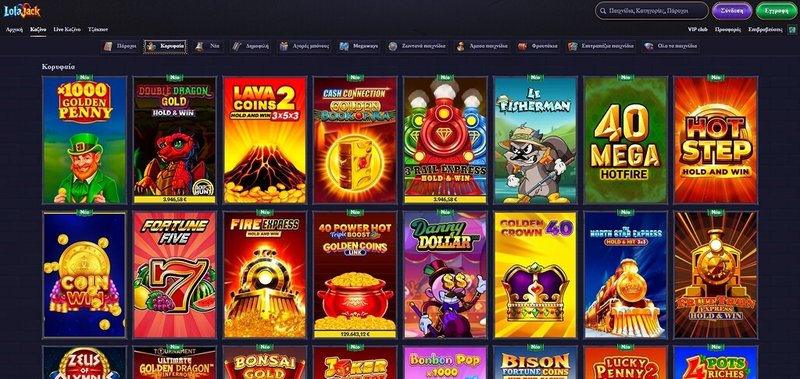
If you’re looking for a spot to enjoy online gaming and a casino vibe, check out Lolajack.
While cloud gaming solves hardware headaches, it isn’t a silver bullet. The biggest drawback for UK millennials is the reliance on a stable internet connection. Rural areas with average speeds below 15 Mbps still struggle with high‑resolution streams, making the experience feel choppy. If you live outside a major city, you might need to stick with a traditional console for the most demanding titles.
Speaking of online entertainment, many gamers also enjoy social venues that blend gaming with community events. One local spot, Lolajack, offers a relaxed environment where you can try out the latest cloud titles on big screens while sipping a craft brew.
Common Mistake: Ignoring Data Caps
It’s tempting to think a subscription covers unlimited play, but most broadband packages still enforce monthly data limits. Streaming a two‑hour session at 1080p consumes roughly 7 GB. I once ignored this and hit my 100 GB cap within a week, resulting in a £10 overage fee. Always factor in your typical usage before committing to a high‑resolution plan.
Wrapping Up
Cloud gaming is reshaping how UK millennials fit play into busy lives. By checking your bandwidth, using the right controller, scheduling breaks and staying aware of regional libraries, you can enjoy a console‑level experience without the upfront cost. The technology isn’t perfect—especially for those on slower connections—but the flexibility it offers is a clear win for a generation that values convenience as much as the game itself.